
Samiland Registration: How to Sign Up and Verify Your Account
Registering at Samiland takes only a few minutes: enter your email, set a password and date of birth, confirm your inbox link, then make a first deposit of at least £25 to unlock your welcome package. This page walks through every step of the process, the documents verification needs, who can open an account, and the small mistakes that slow new players down.
What You Need to Register at Samiland
The sign-up form only asks for the essentials, so you can move through it quickly if you have your details ready. Keep your ID nearby too — matching the spelling on your account to your identity document now saves time during verification later, since mismatched names are one of the most common reasons checks take longer than expected.
- Email address – used for your confirmation link and account notifications.
- Password – choose something you haven't reused on another site.
- Date of birth – must show you're aged 18 and over to open an account.
- Preferred currency – pick GBP or EUR before you finish the form, since this sets how your balance and bonus amounts display from that point on.
Samiland Registration at a Glance
| Requirement | Detail |
| Minimum age | 18 and over |
| Minimum first deposit | £25 |
| Account currencies | GBP, EUR |
| Welcome offer | 300% up to £1,000 (first deposit) + 200% up to £1,000 (second deposit) + 100 free spins on Piggy Riches |
| Wagering requirement | 30x deposit plus bonus |
| Verification documents | Photo ID, proof of address, payment proof |
| Typical verification time | A few hours to a few business days |
Confirming Your Email and Activating Your Account
Once you submit the form, Samiland sends a confirmation message to the address you registered with. Open it and click the link inside — this verifies the email is genuinely yours and switches your account from pending to active. If the message doesn't appear within a few minutes, check your spam or promotions folder before requesting a new one, since filters sometimes catch casino sign-up emails before they reach your main inbox.
With your email confirmed, you can log in straight away and browse the lobby, check out the game library and get familiar with the layout, though you'll need to complete identity verification before any withdrawal request can go through. Doing this early, rather than waiting until you want to cash out, keeps the rest of your experience moving smoothly.
Verification (KYC): Documents You'll Need
Know-your-customer checks protect your account and keep withdrawals running smoothly, so it's worth gathering documents early rather than waiting until you want to cash out. Samiland typically asks for three things once a withdrawal request is made:
- Photo ID – a valid passport, driving licence or similar government-issued document.
- Proof of address – a recent utility bill or bank statement showing your name and address.
- Payment proof – evidence of the card or crypto wallet you used to deposit, matching the name on your account.
Reviews usually take anywhere from a few hours to a few business days, and the same set of documents covers any future payout, so you won't need to resubmit them every time. Once verification clears, withdrawals move through a standard pending window before being sent to your chosen method within up to 5 business days; the minimum withdrawal is £100, with daily limits of £5,000 and monthly limits of £7,000. For a closer look at how deposits and payouts actually move once you're verified, see our payment methods guide.
How to Register at Samiland
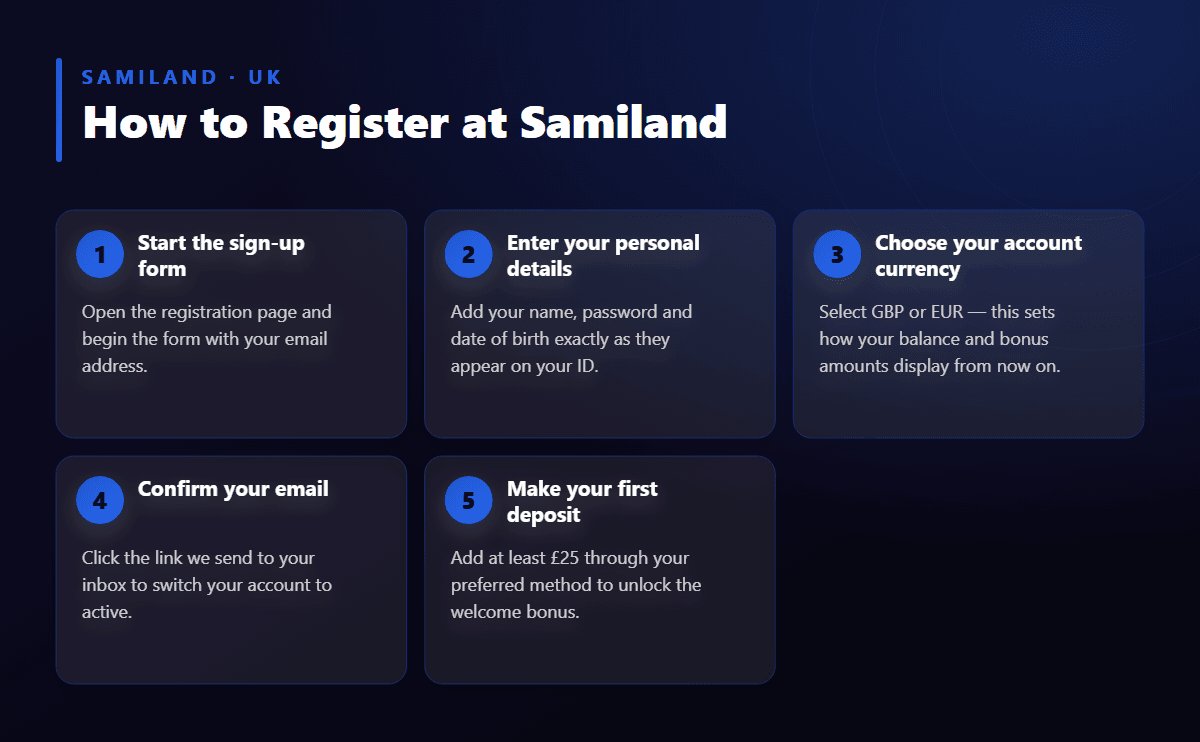
Follow these steps to open your account and be ready to deposit in a few minutes.
- Start the sign-up form — Open the registration page and begin the form with your email address.
- Enter your personal details — Add your name, password and date of birth exactly as they appear on your ID.
- Choose your account currency — Select GBP or EUR — this sets how your balance and bonus amounts display from now on.
- Confirm your email — Click the link we send to your inbox to switch your account to active.
- Make your first deposit — Add at least £25 through your preferred method to unlock the welcome bonus.
Who Can Play at Samiland
Samiland is open to players aged 18 and over who can confirm their identity and provide a genuine address during verification. You'll need to deposit a minimum of £25 to activate your account for real-money play, and your balance will display in whichever currency you selected at sign-up — GBP or EUR. One account per player keeps things simple: using a single profile that matches your real name and documents avoids delays whenever verification or a withdrawal request comes around, and it keeps your welcome bonus correctly linked to your first few deposits.
Claiming Your Welcome Bonus After You Register
Your welcome package becomes available as soon as your account is active and you make a qualifying deposit — no promo code is needed, since the offer applies automatically. Deposit at least £25 on your first payment and Samiland matches it at 300% up to £1,000; your second deposit then earns a 200% match up to a further £1,000, and you'll also receive 100 free spins on Piggy Riches to use alongside your bonus funds.
Bonus winnings carry a 30x wagering requirement on the deposit plus bonus amount before they're ready to withdraw, and slots count fully toward that target, which makes them the quickest route through the playthrough. Beyond the welcome tiers, registered players also receive 10% daily cashback on losses, credited automatically with no extra steps — one more reason it's worth finishing verification early, so every reward lands in an account that's ready to withdraw. For the full breakdown of terms, tiers and how wagering is calculated, visit our welcome bonus page.
Common Registration Mistakes to Avoid
Most registration delays come down to a handful of avoidable slips:
- Misspelled details – your name and date of birth should match your ID exactly, or verification takes longer than it needs to.
- Wrong currency choice – GBP and EUR can't be swapped once your account is set up, so choose deliberately at sign-up.
- Skipping the confirmation email – your account stays inactive until that link is clicked, so check every inbox folder if it's missing.
- Depositing below the minimum – deposits under £25 won't trigger the welcome bonus, so double-check the amount before confirming.
- Multiple accounts – stick to one profile so your bonus and verification stay linked correctly across every deposit.
- Mismatched payment proof – use a card or wallet registered in your own name, since verification checks that it matches your account details.
Depositing After You Register
Once your account is active, the cashier accepts both traditional cards and crypto, so you can choose whichever suits you. Visa and Mastercard work the way you'd expect from any UK site, while Bitcoin, Ethereum, Litecoin and Tether give you a faster route if you already hold crypto. Whichever method you pick, the minimum deposit stays the same, and your welcome bonus triggers the moment that first payment clears. Crypto deposits tend to reflect in your balance almost immediately, while card payments can take a short moment longer depending on your bank. There's no need to notify support before depositing — the cashier recognises your chosen method automatically and applies the matching bonus tier without any extra steps on your part. If you're not sure which option fits your routine, our payment methods guide breaks down processing times and any practical considerations for each method before you commit to one.
Using the Mobile Browser Instead of an App
Samiland doesn't offer a downloadable app, and that's by design rather than an oversight — the mobile browser version carries the full lobby, cashier and account tools without asking you to install anything on your phone. Registration itself works identically whether you're on a laptop or a handset: the same form, the same fields, the same confirmation email. If you start signing up on desktop and want to finish on your phone, simply open the confirmation link from your phone's inbox and the session picks up where you left off. Once verified, logging in through mobile browser gives you the same access to slots, table games and live dealers as the desktop site, so switching between devices mid-session never means starting your account from scratch.
FAQ
How long does registration take at Samiland?
Opening an account only takes a few minutes if you have your email and ID details ready, and you can start browsing as soon as you confirm your email.
Do I need a promo code for the welcome bonus?
No code is required — the bonus applies automatically once you make a qualifying deposit after signing up.
What documents will I need for verification?
You'll usually provide a valid photo ID, a recent proof of address and proof of your payment method, which together confirm your identity before any payout.
Can I change my account currency later?
Your currency is set during registration, so it's worth choosing between pound sterling and euro carefully before you confirm your details.
Why hasn't my confirmation email arrived?
Check your spam or promotions folder first and make sure your address was typed correctly — resending the link usually solves it.
Can I open more than one account?
Keeping a single account that matches your real details makes verification and bonus tracking far smoother than juggling several profiles.
Who is eligible to register?
Registration suits players aged eighteen and over who can confirm their identity and location during the verification process.